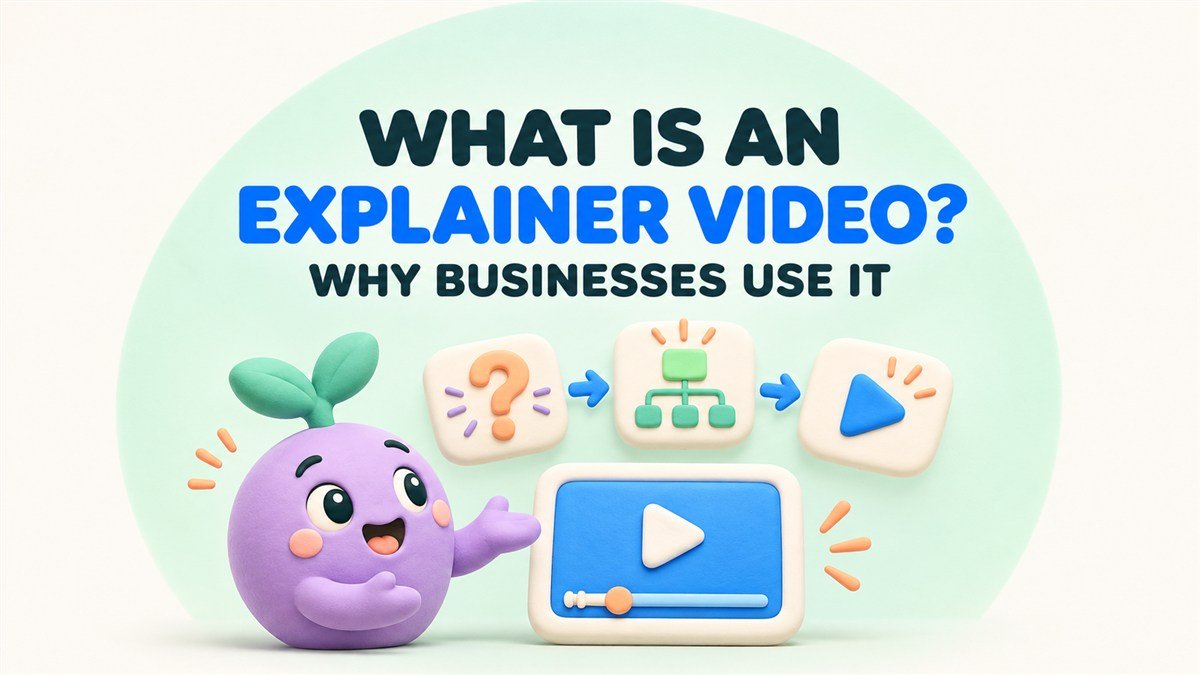
An explainer video is a short, focused video that helps people understand a product, service, process, or idea. It brings together a clear message, relevant visuals, and often narration to show what an offer does, who it helps, and how to take the next step.
For a business, its value comes from answering a question customers need resolved. Someone might understand the problem you solve but struggle to picture your service. A software buyer might need to see how several steps connect. An explainer gives you a way to make that understanding visible.
What does an explainer video show?
A useful explainer follows one idea from the audience’s situation to a practical outcome. It gives viewers enough context to understand the offer and decide whether to learn more.
- A situation the viewer recognizes, such as difficulty coordinating appointments.
- The product or service that addresses it.
- A clear view of how the solution works.
- A relevant next step, such as viewing a demo, making an inquiry, or starting a booking.
Wistia’s guide describes explainer videos as a way to introduce how a product works and why it suits its audience. It also covers formats including animation, live action, and screen recordings. The format you choose should make your particular explanation easy to follow.
Read Wistia’s guide to explainer videos
Why do businesses use explainer videos?
Make an unfamiliar offer easier to understand
A service can be difficult to describe when customers cannot see it happening. Animation can turn a process into a sequence, give an abstract idea a visual form, or show how several parts of an offer connect.
For example, a business that coordinates bookings for local service providers could show a customer choosing a service, selecting an available time, and receiving confirmation. Viewers see the experience the business is describing.
Show the connection between a feature and its benefit
A feature list tells people what is available. An explainer can show what happens when someone uses a feature. If a shared dashboard displays booking status, the sequence can demonstrate how a team member checks the next appointment.
Keep each benefit tied to something the product genuinely supports. Any statement about increased sales, lower costs, or time saved needs evidence appropriate to that claim.
Give sales conversations a shared starting point
A salesperson can use an explainer before a meeting or as a follow-up to introduce the relevant workflow. That gives the buyer a concrete example to discuss and lets the next conversation focus on their requirements.
Choose the video around the buyer’s question. An introductory explainer can establish the offer, while a detailed demonstration can show the screens or actions someone needs to evaluate.
Explore the difference between an explainer video and a product demo
Keep the core explanation consistent
A reviewed script and approved visuals give your team a common description to share. The same core sequence can inform a website overview, sales presentation, or social edit, with an opening and invitation adapted for each placement.
When does your business need an explainer video?
Start by looking for a communication gap. If potential customers repeatedly struggle to understand a part of the offer, identify the exact question a video should answer.
- Visitors understand the category but need to see how your service works.
- A product has several connected steps that are difficult to explain in a short paragraph.
- Sales calls repeatedly begin with the same introductory explanation.
- A launch introduces a new workflow or unfamiliar concept.
- Prospects need to picture the experience before they are ready to inquire.
Write the intended outcome in one sentence. For example, “After watching, a service provider should understand how a customer books an available appointment.” That sentence gives the script, visuals, and review a shared purpose.
Which type of explainer video should you choose?
Animated explainer videos
Use illustration and character animation to show situations, processes, and ideas. A consistent visual style can connect the video to your brand while giving the explanation a setting the audience recognizes.
Motion graphics explainers
Use moving shapes, icons, diagrams, and typography when the relationship between information matters. A sequence showing a request moving through three teams may work well as a simple diagram.
Screen-recorded and interface explainers
Use approved product screens or recordings when viewers need to recognize a workflow. Keep important labels readable and give each action time to register. This format is especially relevant to software and digital services.
See how to explain a complex SaaS product with video
Live-action explainers
Show real people, places, or physical products when that context helps the explanation. A presenter can introduce the offer, while filmed actions demonstrate the part of the experience viewers need to understand.
A project can combine these approaches. A character scene might introduce the situation, an interface recording can show the workflow, and a graphic end card can provide the next step.
A practical explainer video example
Imagine a fictional booking platform for local service businesses. Its website needs to explain the customer booking journey to business owners. A simple sequence could work like this.
- Open with the situation. A business owner is answering messages to arrange appointment times.
- Introduce the offer. Show the business’s online booking page and available services.
- Demonstrate the process. A customer selects a service, chooses an available time, and confirms the appointment.
- Show the resulting information. The owner sees the booking in the platform’s appointment view.
- Invite the next step. Offer a guided tour of the booking workflow.
A line of narration might say the following.
Let customers choose a service and an available appointment in one place. Review the confirmed booking in your appointment view, then plan what happens next.
This is an illustrative concept. For a real project, check every step against the product, use approved interface material, and agree on what the video should show before producing the finished scenes.
How do you make an effective explainer video?
- Define the audience and question. Identify who is watching and what they need explained.
- Write one main message. Choose the understanding the viewer should leave with.
- Prepare a script and storyboard. Plan the spoken idea and the visible action together.
- Review product facts and claims. Confirm the process, screens, and evidence with the business.
- Produce the visuals and sound. Build the sequence around the approved explanation.
- Check the final viewing experience. Review readability, narration, captions, and the destination of the call to action.
A read-through with rough visuals can reveal a missing step before production is complete. Ask someone unfamiliar with the project to explain what they understood after one viewing.
Plan the script with our explainer video scriptwriting guide
Where should you use your explainer video?
Put the video where its answer helps someone make progress. A homepage overview can introduce an unfamiliar offer. A service page can explain a specific process. A sales follow-up can show a workflow discussed in the meeting.
For social posts or ads, adapt the opening and amount of detail to that placement. Plan readable on-screen information and captions so the important message remains available when someone watches without sound.
Keep supporting written information on the page. Viewers may want to scan a feature, revisit a detail, or continue reading after the video ends.
Can an explainer video help your website’s SEO?
Google provides guidance for helping it discover and understand videos, including supported video embeds, accessible thumbnails, and relevant metadata. Eligibility for video search features also has specific requirements, including a watch page where the video is the main content.
Read Google’s video SEO best practices
Plan the page around the question it answers. Give it a descriptive title, useful written information, and a video placed where visitors can find it. An embedded video can support the explanation, while the overall quality and accessibility of the page remain important.
How do you know whether the video is helping?
Define the result before publishing. An introductory video might be intended to help visitors understand the offer and continue to a relevant service page. A product explainer might lead to a tour or a qualified inquiry.
Review viewing behavior alongside the chosen action. A view count shows exposure, while the next step helps you assess whether the sequence is serving its purpose. Ask customers and sales colleagues which parts still need explanation, then use that feedback when updating the script.
Plan an explainer video with Anigem Studio
Send Anigem Studio a short description of your offer, the audience you want to reach, and the question customers need answered. Include a product link, process outline, or sample screen recording so we can discuss a suitable script, visual approach, and production scope.
Discuss your explainer video with Anigem Studio
← All studio notes